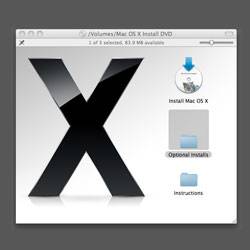
We just upgraded to Snow Leopard at work and while the OS is great I did hit a few problems. To start I realized that my install of Git was not working. Then I got farther down the path and realize that Macports was also dead. Then yet another step and I had no C compiler which meant Xcode and the Apple developer tools had gone the way of the buffalo.
After much hunting I got everything working and thought I would document the process for anyone else that is less techincal (like me) and would just like a clear explanation of the install process
Getting Xcode Working
So to start at the beginning of the trail I had to install Xcode as I needed a valid C compiler to install the rest of the items on my list. A number of tutorials suggested that I could install Xcode from the SDK as an Apple developer or from the DVD. While I am sure this worked for the tutorial authors installing Xcode from the SDK did not work for me. I still was getting errors with GCC and with not having a valid C compiler.
I may have continued to get errors because IT at work did an upgrade install of Snow Leopard instead of a clean install. I personally ALWAYS do clean installs. The time I just spent (most of a day) working on getting one piece working is probably about the same time it takes to get a system up and running from scratch. I have found that when I do clean installs of OS's I have way less problems and they seem to run faster. Regardless of the reasons I found that I had to use the installer packaged with Snow Leopard to get Xcode installed properly with no more errors for C compilers and GCC.
MacPorts
With Xcode working properly I really had no trouble with Macports. I simply downloaded the Snow Leopard Installer and ran the package. Now I did make sure that ncurses was installed properly again by running:
[bash] $ sudo port -f uninstall ncurses $ sudo port clean ncurses $ sudo port install ncurses [/bash]
Git
Even after getting everything working I was still having trouble with Git. For some reason, above my head, Git was giving PATH errors on git-fast-import. I looked for a while and could find no solution that let me get past my 'make' and into a 'sudo make install.' Luckily my friend @jschoolcraft came online and pointed me to the OSX installer for Git and this tutorial that suggested the OSX installer instead of compiling from source. When I used the installer Git installed and worked with no problem.
The Round Up
So here are the basic steps I took to get Git and Macports working on my machine.
- Install Xcode from the Snow Leopard DVD

- Install Macports from the installer package

- Make sure ncurses is installed properly

- Install Git from the OSX installer
Here are is a list of the resources that I used to get this up and running. I'm sure there were way more I looked at but these are the ones that got my feet down the right path.
- [Hivelogic - Compiling Git on Snow Leopard](http://hivelogic.com/articles/compiling-git-on-snow-leopard/)

- [Installing Macports on Snow Leopard](http://www.bsdunix.ch/serendipity/index.php?/archives/446-How-to-install-Macports-on-Snow-Leopard-10.6.html)

- [OSX Installer for Git](http://code.google.com/p/git-osx-installer/downloads/list?can=3)

- [Install MySQL and Ruby in Snow Leopard](http://www.icoretech.org/2009/08/install-mysql-and-mysql-ruby-gem-on-snow-leopard-64-bit/) This made me think of the Xcode DVD install instead of the SDK install