Another quick way to get tasks into Things 3 is to use the Mail to Things feature provided by Cultured Code. You can access this in the Things 3 settings under Things Cloud.
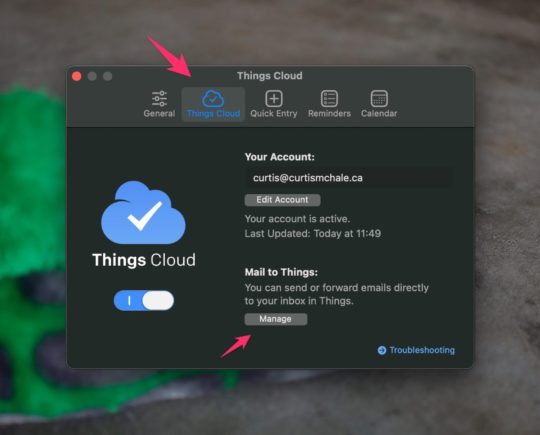 Things 3 Things Cloud Settings Panel
To access this click Manage and then a new popup will give you more information on how to use Mail to Things.
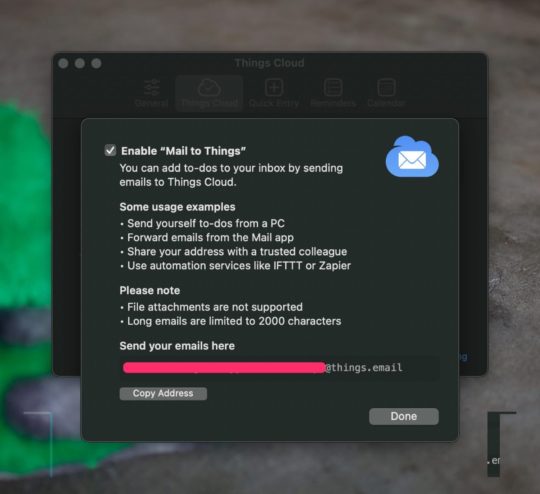 Things 3 mail task email panel
The most important thing is the email at the bottom of the settings panel. I recommend saving this email to a new contact to enable fast forwarding of tasks to your Thing 3 Inbox. This is where you email tasks to get them into your Inbox. The subject will become your task title and the content of the email will become the description.
Unfortunately you can't set tags, dates, projects or send attachments into your tasks via email.